About FC4500 Cutting Plotter
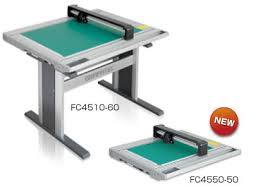
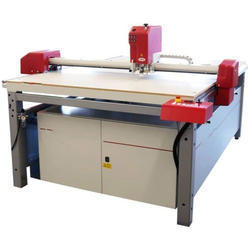
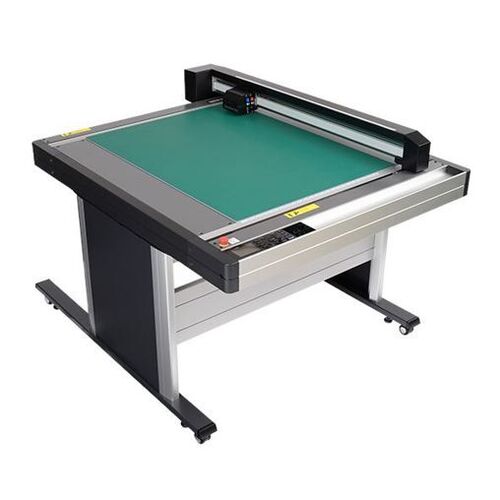
To ease the operations of cutting and plotting, we have FC4500 Cutting Plotter for high precision and medium material crafting jobs. It is majorly used in packaging, sticker, garments industry, shoe industry, sign, traffic sign, other industrial goods, etc. It is available in two useful sizes for cutting thick, thin and hard materials. Our FC4500 Cutting Plotter has advanced features such as repeated cutting functions, reverse side cutting, two tool holder for easy selection, automatic registration mark detection, simple creasing function, etc.
Unmatched Cutting PrecisionEngineered for demanding industrial and commercial needs, the FC4500 offers mechanical precision up to 0.1 mm and repeatability within 0.1 mm. The robust drag knife and plotting functions assure accurate results across various sheet-type materials, supporting high-quality sign making and packaging prototype work.
Advanced Media ManagementUtilizing an electrostatic adsorption hold-down system, the FC4500 keeps media firmly in place throughout the cutting process. This technology is effective for thin materials, yielding consistent contours and clean edges. Its natural air cooling ensures quiet operation and low noise levels, ideal for studio or office environments.
Versatility and User-Friendly OperationWith automated registration mark sensors and menu-driven touch panel controls, the FC4500 simplifies complex cutting tasks. Compatible software (Graphtec Studio, Cutting Master) supports both Windows and Mac OS, making it accessible for designers and operators across platforms. It is suited for vinyl graphics, cardboard, PET films, and more.
FAQs of FC4500 Cutting Plotter:
Q: How do I operate the FC4500 Cutting Plotter for different materials?
A: The FC4500 supports a variety of sheet-type materials such as vinyl, cardboard, film, masking, and reflective sheets. You can select material settings using the 3.7-inch touch panel LCD menu, and adjust the cutting force and speed as needed for the material type to ensure optimal results.
Q: What are the benefits of the electrostatic adsorption media hold-down system?
A: The electrostatic adsorption system securely holds thin and flexible media in place during cutting or plotting, minimizing the risk of shifting. This results in consistent, precise cuts and clean edges, especially valuable for high-precision industrial and prototype work.
Q: What is the process for contour cutting with the FC4500 Cutting Plotter?
A: For contour cutting, use compatible design software (such as Graphtec Studio or Cutting Master) to create and print your design with registration marks. The built-in registration mark sensor then automatically detects these marks for accurate alignment, allowing the plotter to cut along the contours of your printed graphics.
Q: When should I use the repeatability and high-precision features of the FC4500?
A: Repeatability (0.1 mm) and high mechanical precision are best utilized when working on projects requiring tight tolerances, such as packaging prototypes, reflective signs, or complex industrial components. These features ensure reliable and consistent output, even for small or intricate designs.
Q: Where can the FC4500 Cutting Plotter be used effectively?
A: The FC4500 is suitable for studios, workshops, industrial production lines, and commercial environments. Its compact, tabletop design (no stand included) fits easily on workbenches, making it an excellent choice for sign makers, packaging designers, and prototype fabrication.
Q: Is the FC4500 compatible with both Windows and Mac operating systems?
A: Yes, the FC4500 Cutting Plotter works seamlessly with both Windows and Mac OS, allowing operators flexibility regardless of their preferred design platform. Included software such as Graphtec Studio and Cutting Master enhance workflow and productivity across devices.
Q: What accessories are included with the FC4500, and how do I start using it?
A: The FC4500 comes with essential accessories: a power cord, USB cable, blade holder, blades, cutting mats, and an operation manual. Connect the plotter to your computer via USB, install the necessary software, and follow the manual for setup to begin cutting or plotting immediately.




 Send Inquiry
 Send Inquiry

